
Framer vs. Webflow vs. Wix Studio
November 5, 2026 | by Team Pixeliio

Choosing a website-building platform can be just as important as choosing the design of your website.
Framer, Webflow, and Wix Studio are popular options for creating professional websites without relying entirely on traditional coding. However, they have different approaches to design, customization, content management, and website development.
So, which one should you choose?
In this guide, we’ll compare Framer, Webflow, and Wix Studio to help you understand their differences and decide which platform fits your project.
1. What Is Framer?
Framer is a visual website-building platform that combines design tools with website publishing capabilities.
It is particularly popular among designers, startups, and creative teams that want to create visually polished websites with interactive elements.
Key Strengths of Framer
- Visual design-focused workflow.
- Flexible layouts and animations.
- Useful for landing pages and marketing websites.
- Templates that provide ready-made website designs.
- Ability to publish websites through Framer.
Who Should Use Framer?
Framer can be a good choice for startups, portfolios, creative businesses, and marketing websites where visual presentation and a streamlined design workflow are important.
2. What Is Webflow?
Webflow is a visual website development platform that gives users detailed control over website layouts, styling, and content structures.
It combines visual design tools with a content management system, making it suitable for websites that need more structured content and customization.
Key Strengths of Webflow
- Detailed control over layouts and styling.
- Built-in content management capabilities.
- Support for dynamic content and structured collections.
- Flexible website interactions.
- Useful for complex marketing and business websites.
Who Should Use Webflow?
Webflow is a strong option for businesses, agencies, designers, and developers who want more control over website structure and content management.
It can be particularly useful for content-heavy websites, service businesses, and projects with custom design requirements.
3. What Is Wix Studio?
Wix Studio is a website creation platform designed for professional designers, agencies, and businesses.
It offers visual design tools, responsive layout controls, and features that support the creation and management of client websites.
Key Strengths of Wix Studio
- Visual website design environment.
- Responsive design controls.
- Tools for professional website creation.
- Features for managing client projects.
- Customization options for different business requirements.
Who Should Use Wix Studio?
Wix Studio may be suitable for freelancers, agencies, and businesses that want a visual website-building workflow with tools for managing professional projects.
Framer vs. Webflow vs. Wix Studio: Quick Comparison
| Feature | Framer | Webflow | Wix Studio |
|---|---|---|---|
| Main focus | Visual website design | Visual development and CMS | Professional website creation |
| Design flexibility | High | High | High |
| Content management | Available | Advanced CMS capabilities | Available |
| Best suited for | Startups and creative websites | Businesses and content-rich websites | Agencies and business websites |
| Learning experience | Design-oriented | More detailed controls | Visual and responsive workflow |
| Templates | Yes | Yes | Yes |
The exact features available can vary depending on the platform’s current plans and capabilities.
Which Platform Is Easiest to Use?
There is no single answer because ease of use depends on your experience and the type of website you want to build.
Framer may feel familiar to people with a design background. Webflow offers detailed controls that can take time to understand, especially when working with advanced layouts and CMS structures. Wix Studio provides a visual workflow with responsive design controls and professional project tools.
If you’re new to website building, try each platform’s editor or explore its documentation before committing.
Which Platform Is Best for Business Websites?
All three platforms can be used to create business websites.
Consider Framer if you want a visually focused website with a streamlined design process.
Consider Webflow if you need detailed design control and structured content management.
Consider Wix Studio if you want a visual workflow with responsive controls and tools for professional client projects.
The best choice depends on your website’s complexity, content requirements, and preferred workflow.
Can You Use Templates on These Platforms?
Yes. Framer, Webflow, and Wix Studio all support templates.
A template gives you an existing website design that you can customize rather than creating everything from scratch.
When choosing a template, check:
- Whether it supports your preferred platform.
- Which pages and sections are included.
- Whether the layout is responsive.
- How easily you can customize its content and design.
- Whether the license allows your intended use.
What About Shopify?
Shopify is another popular platform, but it serves a different primary purpose.
While Framer, Webflow, and Wix Studio can be used for many types of websites, Shopify focuses on ecommerce and online store management.
If your main goal is to sell products online, Shopify may be worth considering alongside these platforms.
Final Verdict: Which One Should You Choose?
There is no universally best platform. Each has strengths that make it suitable for different projects.
- Choose Framer for visually focused websites, portfolios, and startup landing pages.
- Choose Webflow for detailed design control and structured content management.
- Choose Wix Studio for professional visual website creation and agency workflows.
Before deciding, think about your website’s goals, required features, content structure, and how much customization you need.
The right platform is the one that makes it easier to build, manage, and grow your website.

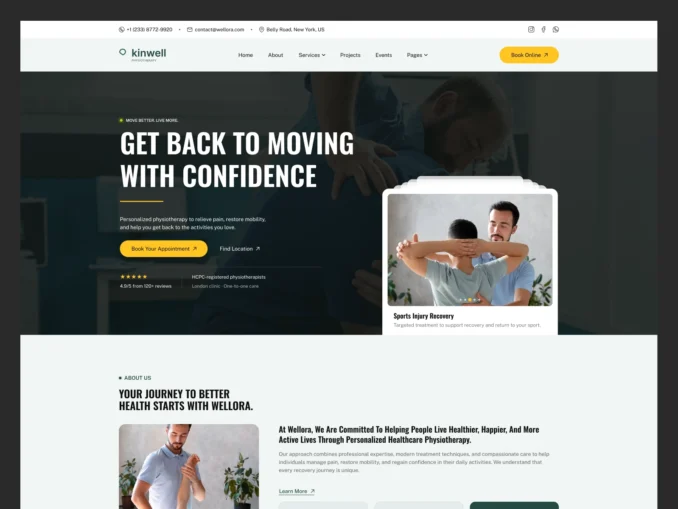
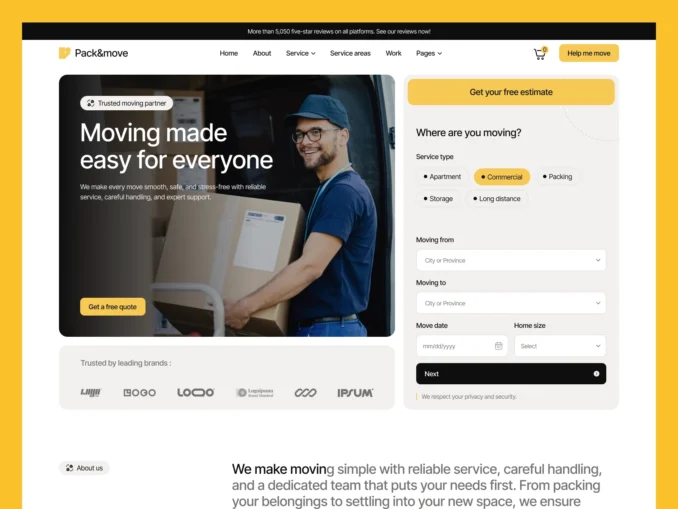
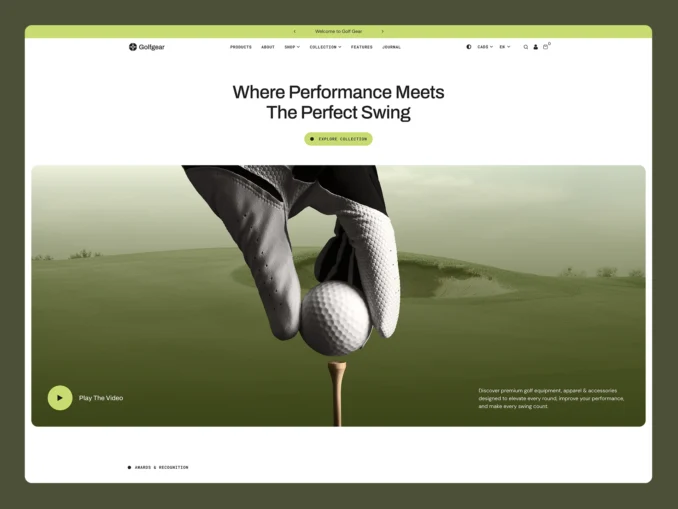
Our Featured Templates
Templates Designed to Help Your Business Stand Out
From online stores to service businesses, our templates provide a strong foundation with modern design, intuitive user experience, and flexible customization options.
Easy Setup & Dedicated Support
Easy Documentation When You Need It,
Expert Help When You Don't
Every template includes clear, step by step documentation to help you get your website up and running quickly. If you’d rather focus on your business instead of setup and customization, our team can help you get everything ready for launch.
Customer Success Stories
Trusted by Businesses Around the World

Mia Thompson
“The attention to detail throughout the template is impressive. Everything works seamlessly and the overall user experience is excellent.”

Mia Thompson
“As a small business owner, I needed something professional and affordable. This template delivered both while remaining easy to customize.”

Mia Thompson
“Our previous website looked outdated. This template completely transformed our online presence and gave our brand a fresh appearance.”

Mia Thompson
“The combination of great design and practical functionality made this template an easy choice. It helped us launch with confidence.”

Mia Thompson
“Everything felt carefully planned and professionally executed. We were able to focus on our business while the template handled the rest.”

Mia Thompson
“Finding a high quality template isn’t easy, but this one stood out immediately. It saved us time and delivered excellent results.”