
How to Choose the Right Website Template for Your Business
November 5, 2026 | by Team Pixeliio

Choosing the right website template can make your website project much easier. The right design gives you a professional starting point, helps organize your content, and reduces the amount of work required to build your website.
However, with thousands of website templates available across different platforms, finding the right one can be challenging.
A template that looks impressive in a demo may not necessarily fit your business requirements. You need to consider more than appearance before making a purchase.
In this guide, we’ll explain how to choose a website template that matches your business, audience, and website goals.
1. Understand What Your Website Needs to Achieve
Before browsing templates, identify the main purpose of your website.
Ask yourself what you want visitors to do when they arrive.
Do you want them to:
- Learn about your business?
- Contact you for a service?
- Book an appointment?
- View your portfolio?
- Purchase products?
- Subscribe to your newsletter?
Your website’s primary goal should influence the template you choose.
For example, a consulting business needs a different structure from an online store. A creative portfolio needs different sections from a restaurant website.
2. Choose a Template Designed for Your Industry
Industry-specific templates can provide a more relevant starting point.
A template designed for your type of business may already include useful sections and page layouts.
For example:
Service Businesses
A service business may need service descriptions, testimonials, team information, inquiry forms, and contact details.
Restaurants
Restaurant websites may benefit from menu layouts, location information, opening hours, reservation links, and image galleries.
Creative Agencies
Agencies often need portfolio sections, project details, service descriptions, team profiles, and contact forms.
Ecommerce Businesses
Online stores need product layouts, collection pages, shopping features, and clear product information.
You don’t necessarily need a template made specifically for your industry, but a relevant structure can reduce the amount of customization required.
3. Select the Right Website Platform
The platform is just as important as the template itself.
Different website builders offer different workflows and features.
Framer
Consider Framer if you want to create visually focused websites, landing pages, portfolios, or startup websites.
Webflow
Consider Webflow if you need detailed design controls, structured content, and flexible website layouts.
Wix Studio
Consider Wix Studio if you want a visual website-building workflow with responsive design controls and tools for professional projects.
Shopify
Consider Shopify if your main requirement is building and managing an online store.
Before choosing a template, make sure it is designed for the platform you intend to use.
4. Review the Complete Template Demo
One of the biggest mistakes buyers make is judging a template by its homepage alone.
A good-looking homepage does not guarantee that the rest of the website will meet your needs.
Explore every available page and pay attention to:
- Header and navigation.
- Homepage sections.
- About page.
- Services or product pages.
- Contact page.
- Footer layout.
- Mobile and tablet versions.
Check whether the template includes the pages and sections you actually need.
5. Check Mobile Responsiveness
A professional website should work well across different screen sizes.
Before buying, preview the template on desktop, tablet, and mobile layouts.
Look for:
- Readable text sizes.
- Proper image scaling.
- Easy-to-use navigation.
- Buttons with comfortable tap areas.
- Sections that fit smaller screens.
- Consistent spacing and alignment.
A template that only looks good on a desktop may require significant additional work.
6. Consider Customization Options
Your website should reflect your own brand identity.
Check whether you can easily customize:
- Colors.
- Fonts.
- Images.
- Text and content.
- Buttons.
- Navigation.
- Sections and layouts.
Some templates provide more flexibility than others.
Consider how much you need to change before the template feels like your business. If almost everything needs to be redesigned, it may not be the right starting point.
7. Look at the Website Structure
A well-organized template makes customization easier.
If possible, review how its pages, sections, components, and reusable elements are structured.
This is especially important if you plan to manage the website yourself.
A clear structure can save time when updating content, adding sections, or creating additional pages.
8. Check Performance and Technical Details
A template should not only look good. It should also provide a sensible foundation for a smooth website experience.
Consider whether it uses unnecessarily large images, excessive animations, or complicated visual effects.
Also check which features depend on third-party integrations or additional apps.
Keep in mind that actual website performance depends on more than the template. Your images, content, integrations, hosting, and customizations all matter.
9. Understand the License Before Purchasing
Licensing is an important part of choosing a website template.
Different providers may offer different usage rights.
Before buying, check:
- Whether the license covers one website or multiple websites.
- Whether you can use it for a client project.
- Whether you need additional licenses for other websites.
- Whether redistribution or resale is prohibited.
- What happens if you receive future updates.
If you are an agency or freelancer, pay particular attention to client usage rights.
10. Review Documentation and Support
A template should come with enough information to help you get started.
Documentation may explain how to install or duplicate the template, customize its content, change design elements, and configure important features.
Also review the provider’s support options.
Knowing where to get help can make a difference if you encounter a problem during setup.
Should You Buy an Individual Template or a Bundle?
If you only need one design for one project, purchasing an individual template may be the simplest option.
If you regularly build websites or work with multiple clients, a template bundle may provide more flexibility.
For example, Pixeliio bundles provide access to eligible templates across Framer, Webflow, and Wix Studio under the applicable plan and license terms.
Pixeliio Shopify themes are sold separately through the official Shopify Theme Store and are not included in bundles.
Compare the available options and make sure the license matches how you intend to use the templates.
A Simple Checklist Before Buying
Before making your final decision, confirm the following:
- The template matches your business requirements.
- It is built for your preferred platform.
- It includes the pages you need.
- It has responsive layouts.
- You can customize its design and content.
- Its structure is easy to understand.
- Its features meet your requirements.
- You understand the license.
- Documentation and support information are available.
- The total cost fits your budget.
Final Thoughts
The best website template is not necessarily the one with the most animations, the largest number of pages, or the most impressive demo.
It is the one that fits your business goals, supports your content, and gives you a practical foundation for building your website.
Take time to compare templates, explore their demos, and understand their licensing conditions before purchasing.
With the right choice, you can spend less time building your website from scratch and more time focusing on your business.

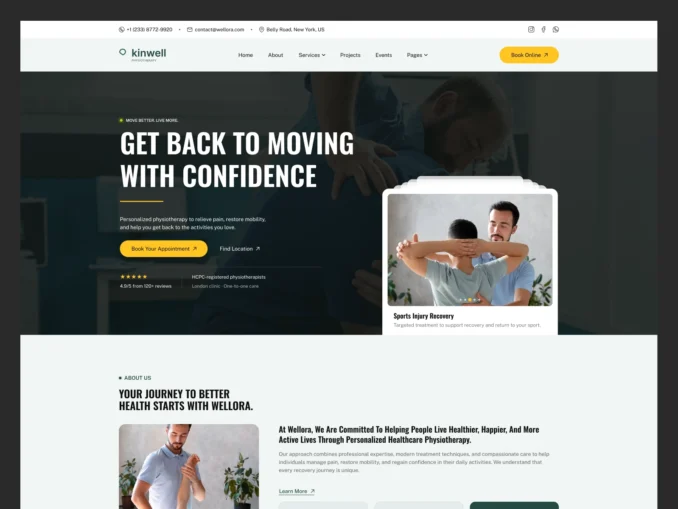
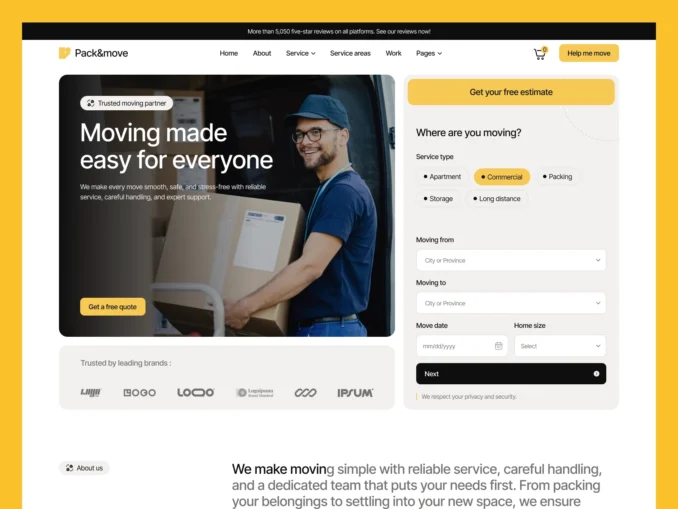
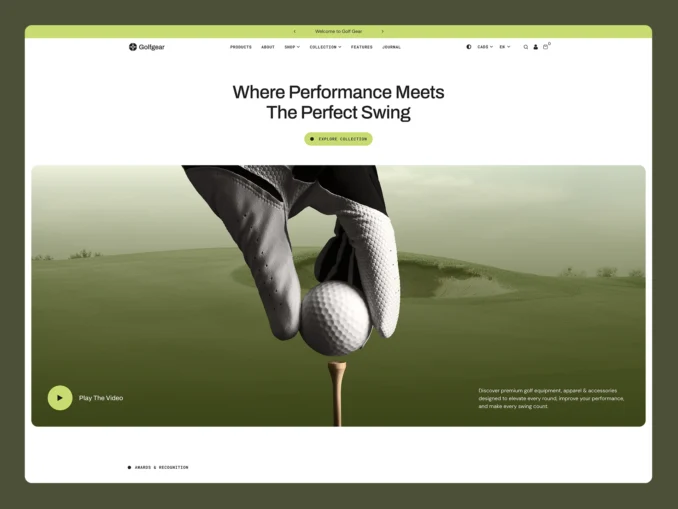
Our Featured Templates
Templates Designed to Help Your Business Stand Out
From online stores to service businesses, our templates provide a strong foundation with modern design, intuitive user experience, and flexible customization options.
Easy Setup & Dedicated Support
Easy Documentation When You Need It,
Expert Help When You Don't
Every template includes clear, step by step documentation to help you get your website up and running quickly. If you’d rather focus on your business instead of setup and customization, our team can help you get everything ready for launch.
Customer Success Stories
Trusted by Businesses Around the World

Mia Thompson
“The attention to detail throughout the template is impressive. Everything works seamlessly and the overall user experience is excellent.”

Mia Thompson
“As a small business owner, I needed something professional and affordable. This template delivered both while remaining easy to customize.”

Mia Thompson
“Our previous website looked outdated. This template completely transformed our online presence and gave our brand a fresh appearance.”

Mia Thompson
“The combination of great design and practical functionality made this template an easy choice. It helped us launch with confidence.”

Mia Thompson
“Everything felt carefully planned and professionally executed. We were able to focus on our business while the template handled the rest.”

Mia Thompson
“Finding a high quality template isn’t easy, but this one stood out immediately. It saved us time and delivered excellent results.”